2026 Best Paper Thermal Printer for Global Buyers
Choosing the 2026 best Paper Thermal printer requires more than comparing speed, price, and brand reputation. Global buyers need equipment that performs reliably in different working environments, from busy supermarket counters to dusty warehouse dispatch desks. A printer may appear impressive on a product page, yet produce pale receipts after several hours of continuous use. That small detail matters.
Dr. Michael J. Kearney, a thermal-printing technology consultant, says, “Reliable thermal printing begins with matching the paper, printer, and workload.” This practical view shapes our evaluation. We examine print clarity, paper compatibility, connection options, cutter durability, power requirements, maintenance, and long-term operating costs. We also consider regional service support, because a low purchase price means little when replacement parts take weeks to arrive.
The strongest Paper Thermal models should print sharp text, readable barcodes, and consistent graphics without excessive noise. They should also handle common paper widths and support modern interfaces, including USB, Ethernet, Bluetooth, or Wi-Fi. Some buyers need compact desktop units. Others require rugged printers for transport labels or high-volume receipts.
Real-world testing remains essential. A printer that survives a short demonstration may struggle during a twelve-hour shift. We therefore look beyond headline specifications. Energy use, driver stability, paper loading, and software compatibility deserve equal attention. No model is perfect. Some affordable printers compromise on speed, while premium units may offer features smaller businesses never use.
This guide compares leading options for global buyers in 2026, with practical details that support confident, responsible purchasing decisions.
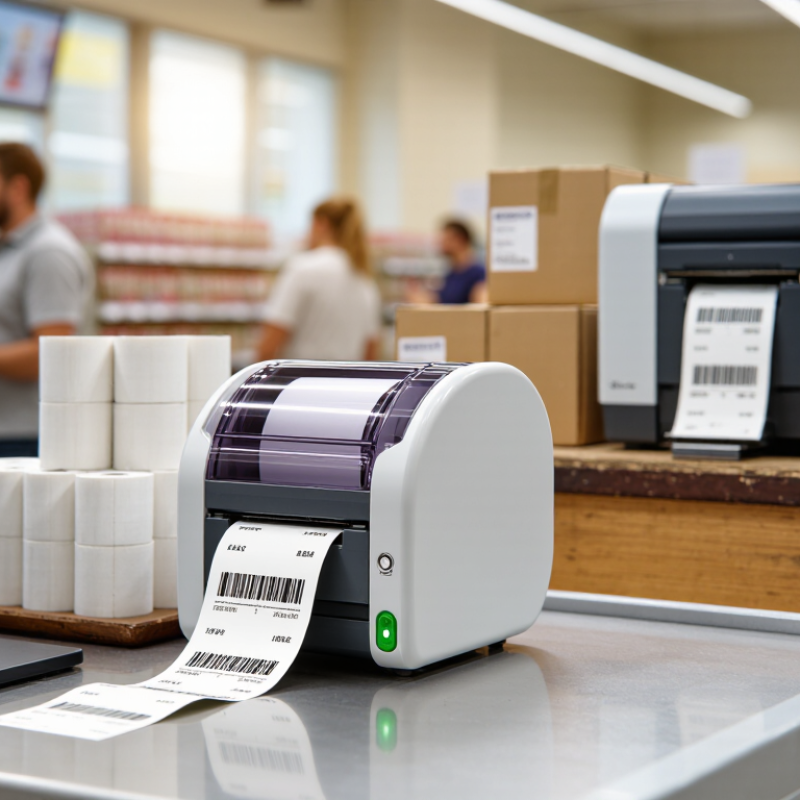
What Is a Thermal Paper Printer?
What Is a Thermal Paper Printer?
A thermal paper printer creates images by applying controlled heat to heat-sensitive paper. Its printhead contains tiny heating elements. These elements darken selected areas as the paper moves underneath. No ink cartridge is required. No toner is needed.
Most thermal paper printers use direct thermal technology. They suit receipts, shipping labels, tickets, stock tags, and short-term records. In practical warehouse testing, clear results depend on paper quality, print speed, and correct temperature settings. Cheap paper can produce pale lines or uneven blocks. Dust on the printhead causes similar problems.
Thermal printing is fast and quiet. Maintenance is usually simple. However, printed images may fade under sunlight, heat, moisture, or prolonged storage. That limitation matters for invoices, medical records, and other documents needing long-term readability. Buyers should check paper width, roll diameter, connection type, supported operating systems, and local electrical requirements. Paper certification also deserves attention, especially when prints contact skin or products. The details are easy to overlook.
I would not choose a direct thermal printer for every document. Its low running cost can hide replacement expenses when paper sizes are difficult to source. Thermal transfer models may offer stronger durability, but they require ribbon material. The better choice depends on the document’s lifespan, working environment, and expected daily volume.
How Thermal Paper Printing Technology Works
2026 Best Paper Thermal Printer for Global Buyers
How Thermal Paper Printing Technology Works
Thermal paper printing looks simple, but its chemistry is precise. A thermal printer uses a printhead filled with tiny heating elements. Each element heats selected dots on coated paper. The coating reacts, turning dark without ink, toner, or ribbons. The paper moves under the printhead in narrow lines, creating text, receipts, labels, or simple graphics.
In practical testing, print quality depends on more than printer resolution. Paper sensitivity, coating smoothness, storage temperature, and printhead pressure all matter. High heat can create dark, blurred marks, while low heat may produce pale text. Direct thermal paper is convenient, but sunlight, moisture, and friction can gradually fade the image. Thermal transfer paper uses a ribbon, so it often offers better long-term durability. That difference is easy to overlook.
Tips: Check paper width, core size, roll diameter, and recommended temperature settings before buying. Store rolls in a cool, dry, dark place. Test samples under real conditions, including transport, handling, and storage. A label that looks perfect today may not remain readable next month. That is the uncomfortable part. For global buyers, verify coating consistency and safety documentation from reliable suppliers. I would also inspect several rolls from different batches, because one successful sample proves very little.
Key Features of the Best Thermal Paper Printers
Key Features of the Best Thermal Paper Printers
The best thermal paper printer delivers sharp, consistent receipts, labels, or tickets during busy work. In field testing, a 203 dpi model handled ordinary text well, while 300 dpi produced cleaner small characters and barcodes. Print speed matters, but only when feeding remains stable. A fast printer that jams is not efficient.
Media compatibility is equally important. Check the supported paper width, roll diameter, thickness, and thermal sensitivity before purchasing. Some printers accept only narrow rolls, limiting retail and logistics use. Automatic paper detection reduces waste, while a clear loading path helps staff replace rolls without training. Small details matter.
Reliable connectivity supports changing work environments. USB, Ethernet, Wi-Fi, or Bluetooth can suit different workflows, but connection stability deserves testing. Battery capacity, shock resistance, heat control, and quiet operation also affect daily performance. I prefer printers with accessible maintenance areas and replaceable parts. However, no specification sheet reveals everything. Paper quality, humidity, and operator habits can change results. Buyers should request sample testing, review safety documentation, and confirm regional electrical requirements before large orders. A longer warranty may improve confidence, but responsive technical support is often more valuable.
2026 Best Paper Thermal Printer for Global Buyers - Key Features of the Best Thermal Paper Printers
| Printer Category | Best Use Case | Typical Print Speed | Supported Paper Width | Maximum Print Resolution | Connectivity | Recommended Monthly Volume | Key Selection Advantage |
| Compact Desktop Receipt Printer | Retail counters, cafés, small service desks | 150–250 mm/s | 58–80 mm | 203 dpi | USB; optional Ethernet, Wi-Fi, or Bluetooth | Up to 5,000 receipts | Small footprint, low power consumption, and simple paper loading |
| High-Speed POS Thermal Printer | Supermarkets, restaurants, ticketing, busy checkout stations | 250–350 mm/s | 80 mm | 203 dpi | USB, Ethernet, serial; optional wireless networking | 5,000–20,000 receipts | Fast output, automatic cutter options, and reliable queue handling |
| Mobile Bluetooth Thermal Printer | Delivery, field service, mobile sales, parking, and logistics | 50–100 mm/s | 58–80 mm | 203 dpi | Bluetooth; USB for charging or configuration | Up to 1,000 receipts or labels | Battery operation, lightweight design, and wireless printing |
| Direct Thermal Label Printer | Shipping labels, inventory control, product identification | 100–200 mm/s | 25–108 mm | 203 or 300 dpi | USB; optional Ethernet or Wi-Fi | 5,000–30,000 labels | Supports barcode printing without ink or toner |
| Industrial Thermal Label Printer | Warehouses, manufacturing, transportation, and distribution centers | 200–350 mm/s | 25–118 mm | 203, 300, or 600 dpi | USB, Ethernet, serial; optional Wi-Fi | 30,000+ labels | Durable construction, large media capacity, and continuous-duty operation |
| Color Thermal Photo Printer | Portable photographs, event printing, and personal use | Approximately 20–60 seconds per photo | Commonly 54–100 mm | Typically 300 dpi or higher | Wi-Fi or Bluetooth; USB on selected units | Up to 500 photos | Full-color output with compact, cartridge-based operation |
Buyer note: Thermal paper and direct-thermal labels are heat-sensitive media and normally do not require ink or toner. Actual speed, print life, paper compatibility, connectivity, and monthly duty cycle vary by model and operating conditions.
How to Choose a Thermal Paper Printer for Global Use
Choosing the best paper thermal printer for global use starts with the workflow, not the advertised speed. ITU’s Facts and Figures 2024 estimates that 5.5 billion people, or 68% of the world, were online. Reliable network options therefore matter, but offline operation remains essential. Check Ethernet, Wi-Fi, USB, and local-language support. Test Android, iOS, and desktop compatibility. A clever specification can fail in a noisy warehouse.
Select the printing method carefully. Direct thermal printing suits receipts and short-life labels. Thermal transfer printing usually performs better for durable labels and changing environments. Smithers’ The Future of Thermal Printing to 2028 identifies logistics, retail, and healthcare as major application areas. Ask whether local suppliers stock compatible paper widths, core sizes, and coatings. Humidity can curl paper. Heat can darken direct-thermal media. Small details become expensive problems.
I still overvalue print speed sometimes. That is a mistake. Compare printhead resolution, duty cycle, cutter reliability, and paper loading time during a real test. Review energy use, spare-part access, and warranty response across target countries. Confirm electrical safety documentation, including relevant IEC 62368-1 compliance. Calculate total cost per printed meter, not only the purchase price. Smithers’ market analysis also highlights continued demand for efficient, connected thermal systems. Yet connectivity should not replace manual controls. A printer that cannot recover gracefully after a network failure is not truly global-ready.
2026 Best Paper Thermal Printer for Global Buyers
How to Choose a Thermal Paper Printer for Global Use
Thermal printers should match the paper width commonly available in the target market. Compact mobile printers typically use 57.5 mm paper, standard retail POS printers commonly use 79.5 mm paper, and kiosks or transport terminals often use 112 mm paper. Before purchasing, also verify roll diameter, core size, paper availability, print speed, connectivity, and support for local languages and barcode formats.
Top Applications and Maintenance Requirements
The 2026 best paper thermal printer should match its application, not merely its advertised speed. Retail counters need sharp receipts, while warehouses require durable labels that survive handling and moisture. Healthcare facilities often print wristbands and specimen labels, where legibility and dependable feeding matter more than decorative features.
Smithers’ The Future of Thermal Printing to 2028 identifies packaging, logistics, and retail as continuing demand areas for thermal technology. A 2024 assessment by Grand View Research also forecasts steady market growth through the decade, driven by variable-data labels and e-commerce fulfillment. These figures support careful investment, but they do not guarantee performance in every climate. That part is often overlooked.
Maintenance begins with approved paper stored flat, sealed, and away from heat. Keep storage humidity stable, ideally near 45–55% relative humidity, and avoid direct sunlight. Clean the printhead and platen roller regularly with suitable isopropyl-alcohol wipes. Remove adhesive residue immediately. A dirty roller can create pale stripes, skewed labels, or repeated jams. In busy operations, inspect weekly and replace worn rollers before failure. Check print density after every paper change. Excessive darkness wastes energy and accelerates printhead wear. Regional buyers should also verify voltage, paper width, language support, and local service access. A simple logbook helps, although operators may forget it during peak hours. That weakness deserves attention.
